March 2, 2010

Resources For Zazzlers

Sometimes we may need help coming up with design ideas or even design elements. Here is a resource list or at least the beginning of one. I tend to be a little unorganized. Check back often.

Image Editing Software

Free

Gimp
The GNU Image Manipulation Program for raster/pixel based images. Free and Open Source :). My program of choice.

Inkscape
An Open Source vector graphics editor, with capabilities similar to Illustrator, CorelDraw, or Xara X, using the W3C standard Scalable Vector Graphics (SVG) file format. I also use this one quite a bit.

Not Free

Adobe Photoshop
A pixel-based graphics editing program developed and published by Adobe Systems.

Multiple Resource Sites

Media Militia
All kinds of cool stuff here. Freebies, Tutorials, and Inspirations. Also a trippy nav bar that makes you feel like you're playing Pong :).

Bitbox
Lots of cool Freebies. Also great tips and tutorials. For the tuts look for the tag cloud on the right side of the page about a third of the way down.

Naldz Graphics
Tutorials, Freebies, and awesome Inspirations.

Gimp and Photoshop Brushes

Obsidian Dawn

rl-Brushes

Stock Photos, Textures, and Public Domain Images

Not all images found on these sites are released for commercial use so check first.

Photos8
Free photos and desktop wallpapers. Huge easy to search collection of High resolution photos and wallpapers, thousands of high quality pictures.

Karen's Whimsy
A large collection of pre 1923 images now in the Public Domain. Karen has spent considerable amounts of time searching for and buying the source material, scanning, fixing, and editing the images, and then putting them on the web. She has also prepared a huge artist resource list. Rather than hijack her work I share with you her link to artist resources. After browsing the list it looks like there's no point in me finishing mine smiley. Still I'll continue which means you may see duplicates.

Lost And Taken
Tons of Textures. Free and premium.

EveryStockPhoto
I mainly search Morguefile here using the advancedsearch. It seems faster to me than going directly to Morguefiles site.

CG Textures
This one requires an account to download textures. You can get a free account but it will only let you download up to 15mb each day. If you go for the large textures you can eat up that 15mb with just 3 or 4 textures :).

Texture King
Please don't let the fact that they sell a t-shirt on CP for support throw you off :).

The Vector Lab
Premium vector stock art.

VectorStock
Must get an Expanded License to use these vectors on products.

February 28, 2010

Zazzle Tutorial- Add Merch Store to Facebook Page Sidebar

Edit: Since Facebook removed Boxes from Pages it looks like the Merch Store can only be added as a tab now.

Many Zazzle shop keepers have set up a business page on Facebook. Getting the the page is easy enough but sometimes adding things to it can be frustrating. For many the Merch Store has caused a lot of headaches. The instructions are simple enough. Visit the Merch Store page then click Add To My Page on the left sidebar. After that you go to your page expecting to see the Merch Store there. Where is it! Look for your Boxes tab and click on it. It's in there but most likely only as text. After messing with this for a couple of hours and reading different instruction I got mine working last night. Here is how to do it. Warning! You will be deleting your Boxes Tab to do this.

Lets start from the beginning.
  • Visit the Merch Store page
  • Click Add To My Page found on the left sidebar
  • Pick from the pop up the page you wish to add it to
  • Click Go To Application
  • Click Add Products or click Settings located near top of page
  • On the settings page you will see Add designers from Zazzle and below that is Zazzle Username with a form box under it. Enter your Zazzle Username there then click Add to merch store
  • Go to the Facebook page you are adding the store to and find your Boxes Tab. If you have many tabs it may be hidden. If so click the double arrows to show it then click Boxes.
  • Here's the scary part. For anything listed other than Merch store you will have to delete them. Do this by hovering your mouse near the top right corner of each listing until you see the little Pencil icon and click it then choose Delete or Move To Wall Tab.
  • Once all that is left is Merch Store bring up it's Pencil icon and choose Move to wall tab. You may have to refresh your page to see it and it may be the last item in your sidebar.
Now that you have it you may not be impressed. There will only be 4 products shown. However, if the customer clicks the username shown they will be taken to another page with more products. If you are still having problems adding you merch store just let me know and I'll try to help you.

February 26, 2010

New Elegant Business Cards

Elegant business card

Promote your business with style. Elegant Flourished borders surround company name on the front with plenty of room for your contact information on the back. Back of card also has the dark background but you can remove this and have a plain white back. Choose the font style and color that best fits your company. Add your logo if you wish.

See more Business Cards

February 17, 2010

What does a yellow light mean?


Here's an 80's retro design for fans of the sitcom Taxi which ran from 1978-1982. In a famous scene Christopher Lloyd's character Reverend Jim Ignatowski has to take a driving test to get his license. Jim, always confused, ask his friends "What does a yellow light mean?" Jeff Conaway as aspiring actor/cab driver Bobby Wheeler whispers "Slow down." Jim, still confused, complies. He repeats the question slowly. This goes on several times. Once would be funny and after that stupid in most cases. However, Christopher Lloyd pulls it off marvelously. Here is that scene for those who never saw it or just want to relive the hilarity.


When you wear this t-shirt people may point at you and laugh. Don't worry they aren't laughing at you. You just gave them a hilarious nostalgic moment smiley.

February 11, 2010

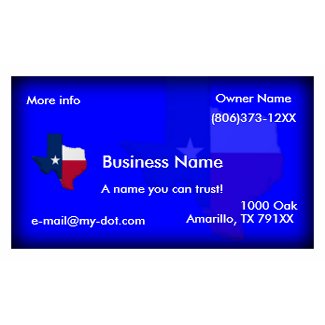
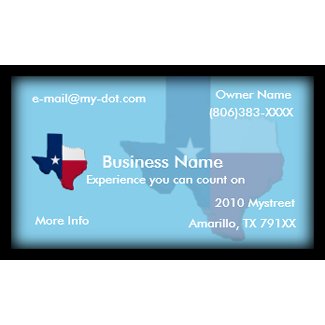
Texas Flag-State Map Business Card


Do you own a Texas Business? These Texas Business Cards feature The Texas Flag overlaying The State of Texas. The first is dark blue fading to black at the edges giving a beveled look. The on screen editor lets you add your business name and contact information. Customize the card with your choice of font style, size, and color. You can also add your own logo and move the text.

The second card shown is Completely customizable. Each image including the Sky Blue background is in a separate layer. This means each element of the design can be moved, resized, or deleted to suit your taste. Like the first business card the blue fades to black t the edge. The difference is the black was added with the on screen editor using the background selector. This can be changed to another color of your choice. Choose from 88lb card stock to synthetic recyclable material, this paper type is water-resistant and virtually tear-proof. Note: The indestuctable card stock may not be ideal if you plan to write on them.

See more Business Cards

February 3, 2010

Awesome Gift Award Winning Design

Vintage Style Grunge Tree Poster print

Thank you to Creature Creations for choosing this design for the Awesome Gift Award. You can see this and other award winners at Creature Creations One Stop shop Award Winners. There you can browse music and entertainment merchandise, customizable photo gifts, awesome t-shirts, and more.

February 2, 2010

USA Gold 2010 3D Design


Are you ready for the 2010 Winter Olympics? That is the inspiration for this USA Gold 2010 3D design. It features a 3D map of the United States with an American Flag overlay and 3D Gold 2010. Of course you don't have to watch the Olympics to buy this design. It just looks cool! It is available on T-shirts, Hoodies, Buttons, Canvas Bags, and more.

USA Gold 2010 shirtUSA Gold 2010 Tote Bag bagUSA Gold 2010 Cap hatUSA Gold 2010 buttonUSA Gold 2010 petshirtUSA Gold 2010 Magnet magnetUSA Gold 2010 Hoodie shirt